

Узнаём расположение конфигурационного файла:
# find / -name "sshd_config"
Пример результата:
/etc/ssh/sshd_config
Переходим в каталог ssh:
cd /etc/ssh (полная команда в редакторе nano /etc/ssh/sshd_config )
затем редактируем файл:
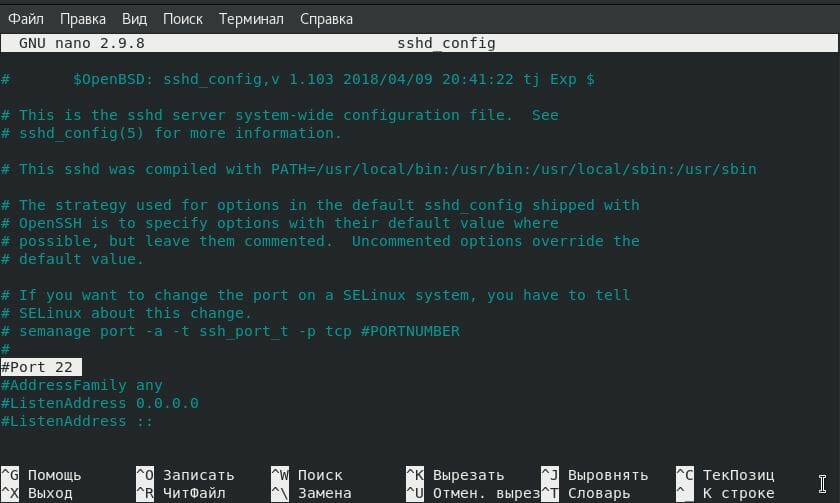
# nano sshd_config
# semanage port -a -t ssh_port_t -p tcp #PORTNUMBER
#
Port 30222 ##меняем порт
#AddressFamily any
#ListenAddress 0.0.0.0
#ListenAddress ::
Переходим в каталог selinux:
a) Чтобы не отключать нужно установить yum -y install policycoreutils-python а потом:
# semanage port -a -t ssh_port_t -p tcp 30222
Для Iptables выполнить команду:
# iptables -A INPUT -p tcp -m multiport —destination-port 20,21,22,1024:65534 -j ACCEPT
б) Или отключаем, переходим в каталог и редактируем конфигурационный файл:
# cd /etc/selinux
Затем редактируем config файл:
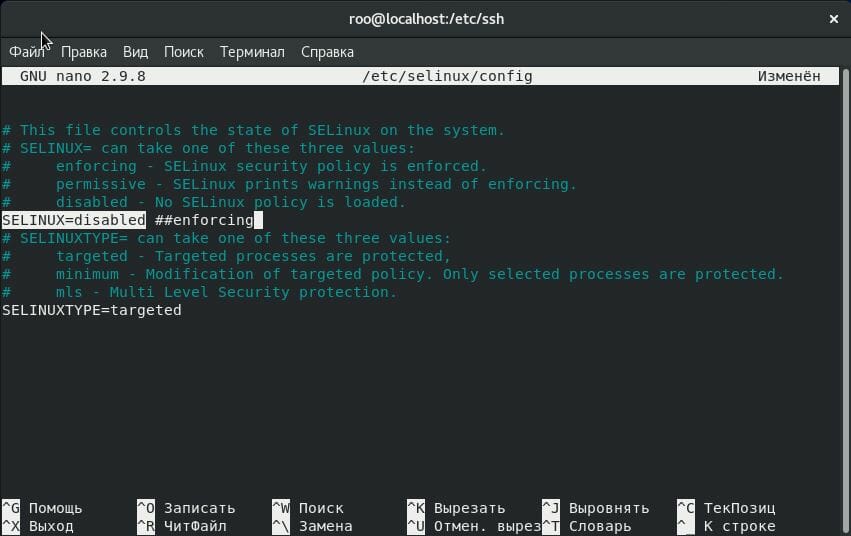
# nano config
# This file controls the state of SELinux on the system.
# SELINUX= can take one of these three values:
# enforcing — SELinux security policy is enforced.
# permissive — SELinux prints warnings instead of enforcing.
# disabled — No SELinux policy is loaded.
SELINUX=disabled ##—>> останавливаем процесс
# SELINUXTYPE= can take one of three two values:
# targeted — Targeted processes are protected,
# minimum — Modification of targeted policy. Only selected processes are protected.
# mls — Multi Level Security protection.
SELINUXTYPE=targeted
Переходим в каталог firewalld:
# cd /usr/lib/firewalld/services
Затем редактируем ssh.xml файл:
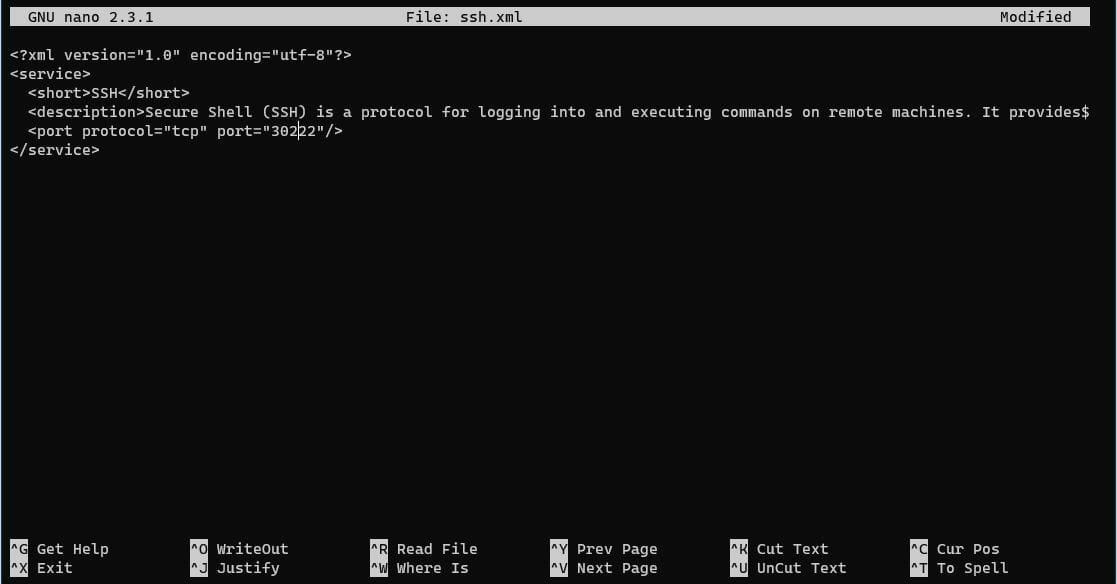
# nano ssh.xml
<?xml version=»1.0″ encoding=»utf-8″?>
<service>
<short>SSH</short>
<description>Secure Shell (SSH) is a protocol for logging into and executing commands on remote machines. It provides secure encrypted communications. If you plan on accessing your machine remotely via SSH over a firewalled interface, enable this option. You need the openssh-server package installed for this option to be useful.</description>
<port protocol=»tcp» port=»30222″ > ##меняем порт
</service>
Добавляем новый порт в фаерволе:
# firewall-cmd --permanent --zone=public --add-port=30222/udp
# firewall-cmd --permanent --zone=public --add-port=30222/tcp
Как отредактировали перезапускаем сервис
# service sshd restart
Наглядный пример: